

Guides
BIOSTAR A320M-H BIOS Update: How to Unlock Ryzen 5000 Support
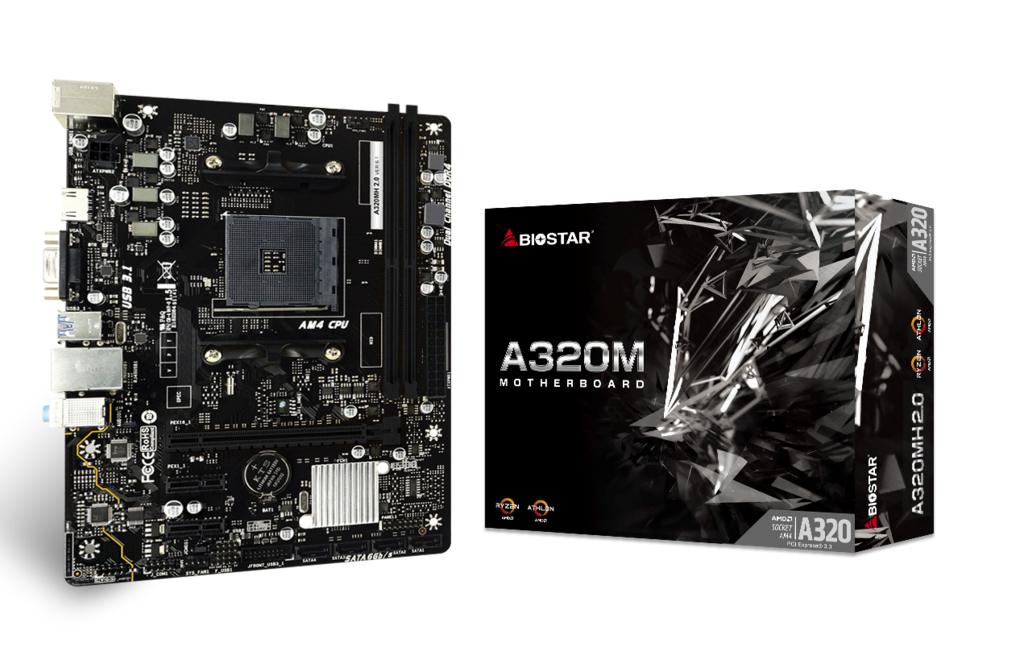
BIOSTAR A320M-H BIOS Update: How to Unlock Ryzen 5000 Support
If you picked up a BIOSTAR A320M-H (or grabbed one secondhand for a budget AM4 build), there’s a good chance it’s still running the factory BIOS — and that factory BIOS is holding it back on purpose. BIOSTAR ships these boards locked to older CPU support out of the box, mostly because AM4 has been through so many CPU generations that the board simply doesn’t “know” about newer chips yet. It’s not a hardware fault, it’s a firmware one — and firmware you can fix.
That’s what this guide covers: doing a proper BIOSTAR A320M-H BIOS update so the board actually recognizes the CPU you paired it with, instead of refusing to POST.
Why the BIOS Update Actually Matters
Here’s the thing people get wrong: they assume a “locked” board is broken. It’s not — it’s just running old code. The BIOS that ships with a motherboard only supports the CPUs that existed at the time of manufacturing. Drop a Ryzen 5000 chip (or even some Ryzen 4000 APUs) into an A320M-H still on ancient firmware, and you’ll get a black screen with no display — nothing to do with a dead board.
This is exactly why so many people search for how to unlock turbo BIOSTAR A320MH boards after buying them used or pulling one out of a pre-built. The board just needs to be told, in firmware, that the CPU exists — flash the right BIOS and that “dead” board wakes right up. It’s especially common with used hardware in Pakistan, where a lot of A320M-H boards on the local market are OEM pulls that never got updated past their shipping firmware.
Supported CPUs After the Update
Once the update is done, the practical result is BIOSTAR A320MH Ryzen 5000 support — chips like the Ryzen 5 5600G, 5600GT, and other Ryzen 5000-series APUs will finally POST and run normally. This is confirmed by BIOSTAR’s own release notes and lines up with independent coverage when the update rolled out — TechPowerUp wrote up the official BIOS release confirming the A320MH’s jump to Ryzen 5000 compatibility.
Worth noting: since the A320M-H has no dedicated graphics output of its own, you need a Ryzen APU (a “G” or “GT” suffix chip) to get a picture on screen at all. Plain non-APU Ryzen 5000 CPUs run fine post-update too, but only with a graphics card installed — the board can’t output video without one.
Want Ryzen 5000 support without doing the flashing yourself? We stock a pre-updated BIOSTAR A320M-H at AMD House. Prefer to skip the A320 chipset entirely? Our budget AM4 motherboard option gives a bit more headroom without any flashing hassle.
FAQs:
1. Does BIOSTAR A320M-H support Ryzen 5000?
Yes, but only after the BIOS update. Most boards ship on firmware that predates Ryzen 5000, so the CPU won’t POST until you flash the newer BIOS.
2. Is BIOSTAR A320M-H BIOS update safe?
Yes, as long as you follow the steps in order and don’t interrupt the flash. It’s a standard update through BIOSTAR’s built-in flashing utility, not a third-party hack — the only real risk is cutting power mid-process.
3. What CPUs work after unlocking A320MH BIOS?
Ryzen 5000-series APUs (5600G/5600GT) are the headline addition, alongside continued support for earlier Ryzen and Athlon chips. Non-APU Ryzen 5000 CPUs also work post-update, but need a dedicated GPU for display.
4. Do I need a graphics card to flash the BIOS?
No — but you do need a CPU with built-in graphics (an APU) installed to see the flashing screen, since the board can’t display anything on its own.
Final Word
A locked BIOS makes a good board look dead — that’s the trap most buyers fall into. Five steps and about ten minutes fixes it. Prefer to skip the flashing? Browse the AMD House lineup or drop us a message and we’ll point you to the right AM4 setup.
Upon our special request with the OEM, we have the updated BIOS which unlocks the turbo performance of AM4 CPUs.
Update Method
The method is fairly simple:
- Format a USB flash drive in FAT32 file system
- Download the BIOS compressed file and extract it directly to USB flash drive.
- Plug the USB flash drive into the system with BIOSTAR A320M-H motherboard and press F12 to enter automatic BIOS update utility. Select A32ES317.PTS file and press ENTER to start flashing the BIOS (agree with all the warnings).
- Once the BIOS update process is complete system will reboot by itself. If it doesn’t remove the USB flash drive and force restart the system.
- Congratulations, now you’re on the unlocked BIOS.


